
JB Casino App - Download Apps on Android & iOS
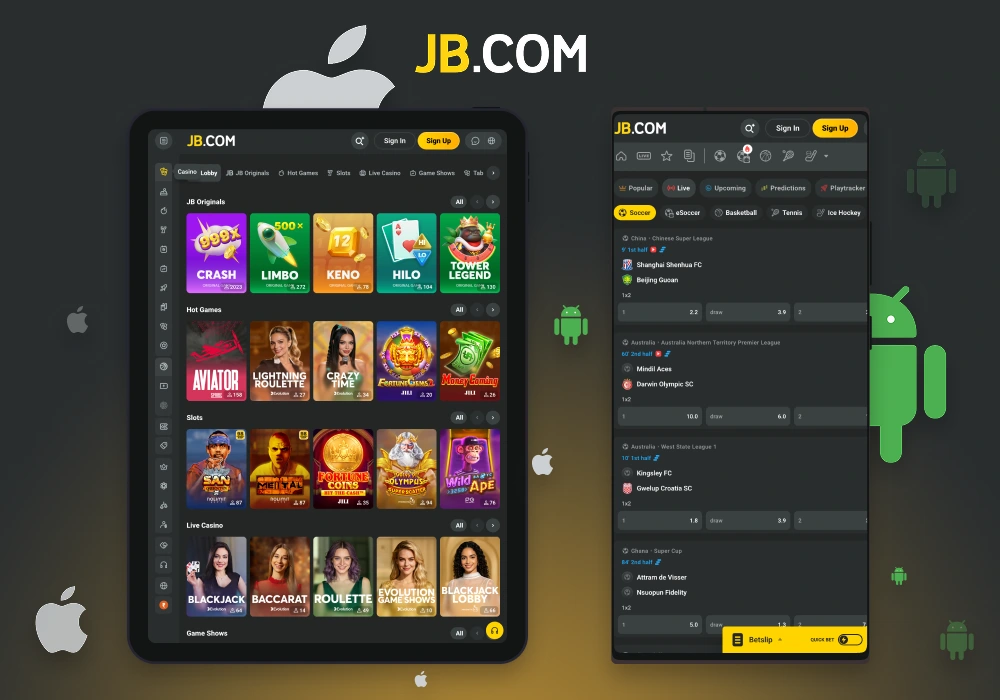
JB Casino app is a mobile hub for real-money casino games and betting in India. One account covers thousands of slots, live dealer tables, JB Originals, and sports betting under a single INR wallet. Android users download the APK from the official site; iOS users install via App Store or Safari shortcut. Both versions support Android 5.0+ or iOS 11.0+.
Content
Why Choose the JB Casino App for Mobile Gaming
There are several distinct reasons why Indians turn to this app for real-money games and betting. The points below cover the core strengths of the JB casino app for the Indian segment.
| Feature | Details |
|---|---|
| Game variety | There are 10,000+ games available, spanning slots, live dealer tables, and RNG games across all categories |
| JB Originals | The app includes a dedicated set of proprietary in-house games with unique mechanics not found on other sites |
| Integrated balance | A single account balance covers both casino games and sports betting, removing the need for separate accounts |
| Fast INR transactions | Deposits start from ₹100 and process within 1–2 minutes via UPI and PayTM |
| Withdrawal access | Withdrawals follow method-specific limits and connect directly to the same UPI and PayTM accounts used for deposits |
| Multilingual support | The app runs in English, Hindi, Bengali, Telugu, and Tamil, with support agents available in Hindi and English |
| Quick bets | Minimum bet amounts start at ₹10 per sports event, with maximums reaching ₹65,653 |
| Mobile-first design | Touch controls, biometric login, and one-tap deposits are built into the JB casino apk interface for Android devices |
| Free download | The Android APK and iOS access carry no download fee for Indians |
JB Casino App Download APK on Android
The steps below cover the full process for getting the Android version from the official site. Each action takes under a minute, and the whole installation wraps up in a few steps.
- Visit the official site. Open the JB Casino official website in any Android browser.
- Locate the download button. Find the "Download App" button on the homepage and tap it to start the JB casino APK download.
- Confirm the file download. Accept the browser prompt to save the APK file to the device.
- Open device settings. Go to Security or Privacy settings and enable the "Install from Unknown Sources" option for the browser being used.
- Find the APK file. Open the Downloads folder on the device and locate the saved JB casino APK file.
- Install the file. Tap the APK file and confirm the installation by pressing "Install" on the system prompt.
- Wait for the icon. Watch for the app icon to appear on the home screen, which confirms a finished installation.
- Open and access the account. Tap the icon, then log in or register to begin using casino games, slot machines, and betting sections.
The JB casino app download works on most Android devices running version 5.0 or above. The APK file size is approximately 95 MB, and the download is free of charge. No Google Play listing exists, so the official site remains the only source for a valid JB casino app download APK.
Android System Requirements
The JB game APK runs on a range of Android devices sold across India. The table below lists the core technical requirements for smooth installation and use.
| Parameter | Requirement |
|---|---|
| Minimum Android OS | Android 5.0 |
| Recommended RAM | 2 GB or more |
| Free Storage | 100 MB minimum |
| CPU Notes | Quad-core 1.4 GHz or faster |
| GPU Notes | OpenGL ES 3.0 support |
| Internet Connection | Stable 3G, 4G, or Wi-Fi |
| Compatibility Range | Android 5.0 through Android 14 |
| APK File Size | ~95 MB |
JB Casino Download App for iOS
Indian users on iPhone and iPad have 2 access routes to JB Casino. The first is through the App Store, where available. The second is through Safari's "Add to Home Screen" option, which places a shortcut directly on the device. Both routes take under 2 minutes to complete.
Below are the steps to get started on an iOS device.
- Open Safari. Launch Safari on the iPhone or iPad and go to the official JB Casino site.
- Check the App Store. Tap the App Store link on the site and tap "Get" to install the app directly.
- Use the alternative route. Tap the Share icon in Safari and select "Add to Home Screen" as a second access option.
- Confirm the shortcut. Tap "Add" to place the JB Casino icon on the home screen.
- Open the installed version. Tap the icon and proceed to the login or registration screen.
- Log in or register. Enter account details or complete the sign-up steps to access all features.
- Check the build version. Confirm the installed build matches the JB casino app download APK latest version equivalent listed on the official site.
- Complete a JB casino app download check. Review the site for updates and install the newest build to access all current features.
System Requirements for iOS (iPhone, iPad) Devices
The table below covers the core technical specifications for running JB Casino App on iOS devices, so users in India can check compatibility before downloading.
| Parameter | Details |
|---|---|
| Minimum iOS Version | iOS 11.0 or above |
| Supported Device Types | iPhone and iPad |
| Storage Space Required | At least 95 MB free |
| Recommended Connection | Wi-Fi or 4G/LTE |
Recent iPhone and iPad models running iOS 15 or iOS 16 deliver smooth, uninterrupted performance across all JB Casino App sections.
JB Casino App vs Mobile Website
The installed app and the mobile browser site each offer a distinct path to access games, betting, and payments. The table below contrasts both options across six key factors for Indians.
| Factor | Installed App | Mobile Browser Site |
|---|---|---|
| Access Method | Tap home screen icon directly | Open browser and type the URL |
| Speed | Faster load via cached data | Slower on weak connections |
| Notifications | Push alerts sent automatically | No push alerts available |
| Update Needs | Requires manual APK update | Always runs the latest version |
| Data Usage | Lower usage after first install | Higher usage per session |
| Casino Games | Full catalog including 7,000 slots | Full catalog accessible |
| Betting | All events and odds available | All events and odds available |
| Payments | UPI and PayTM fully functional | UPI and PayTM fully functional |
| All Features | Complete access to every feature | Complete access to every feature |
| Best For | Daily users who want speed and alerts | Users who skip JB casino download |
Advantages of Using JB Casino Mobile
There are several practical reasons to choose mobile access over desktop. The points below cover the direct benefits available to users in India through the JB Casino app.
- On-the-go access. Users in India place bets and open slot games from any location without a desktop connection;
- Instant availability. The app opens casino and betting sections in seconds after login;
- Quick deposits. UPI and PayTM transactions process within 1–2 minutes directly from the mobile account;
- Fast withdrawals. Withdrawal requests go through the same mobile account with no separate steps required;
- Unified balance. A single INR balance covers all casino games and sports bets without transfers between sections;
- 24/7 availability. The app stays accessible at all hours with no scheduled downtime;
- Live betting convenience. Active betting markets for ongoing events remain open and update in real time through the mobile interface;
- Free installation. The Android APK and iOS access both carry no download fee for users in India.
Account Registration in the JB Casino App
Account creation takes only a few steps inside the app. Each step below covers one action, from choosing a registration mode to reaching the personal dashboard.
- Open the app. Launch the installed JB Casino App on the Android or iOS device.
- Tap the registration button. Select the sign-up option visible on the main screen.
- Choose a registration mode. Pick one option from the three available.
- Enter personal details. Fill in all the required fields, confirm your age, and click “Sign Up”
Logging In to Your JB Account
The login process in the JB Casino App takes only a few steps. Follow the sequence below to access the account on an Android or iOS device.
- Enter credentials. Type the registered phone number or email address into the login field, then input the password.
- Submit the form. Tap the login button to send the credentials to the server.
- Complete 2FA. Enter the two-factor authentication code sent via SMS or email to the registered contact (if 2FA is enabled).
Games Available in the JB Casino App
The JB Casino App gives users in India access to one of the largest game catalogs available on any mobile betting product. The overview below covers every major category and key details about how the library works.
- Total volume: There are 10,000+ games in the full catalog, with the slot section alone listing 5,000+ slot games across hundreds of providers;
- Slots selection: Users in India find 7,000 slot games organized by provider, theme, and RTP value, with filters applied directly inside the app interface;
- Live casino tables: The live casino section includes roulette, blackjack, and baccarat variants, all with real dealers streamed in real time through the app;
- JB Originals: There is a dedicated JB Originals category with proprietary in-house games built on unique mechanics not found at other online casinos;
- RNG table games: Standard RNG versions of roulette, blackjack, and baccarat are also available for users who prefer computer-generated results over live dealer formats;
- Filter tools: The app includes filter options by provider name, theme category, and RTP percentage, which makes browsing 10,000+ games faster for any user;
- Instant-play access: Every game in the catalog launches instantly from the app menu without extra downloads, which works across both Android and iOS devices;
- Download method: Android users get the full game library after they install the JB game APK directly from the official site, bypassing the Google Play store;
- Provider variety: The catalog pulls games from dozens of verified third-party studios, all accessible through the same unified account and INR balance;
- Accessibility: All categories – slots, live casino, JB Originals, and RNG tables – remain available through a single app install with no separate registration needed.
FAQ
Is the JB Casino App available for players in India?
Yes, the JB Casino App is available for users in India. It accepts INR, supports Android via APK download, and runs on iOS through a mobile browser.
How do I install the JB Casino App download APK on Android?
Visit the official JB Casino site, tap the download button, allow installation from unknown sources in device settings, run the JB casino app download APK file, then log in.
How can I update to the JB Casino app download APK latest version?
Visit the official JB Casino site or follow in-app prompts to reinstall and get the JB Casino app download APK latest version. Check version details under the app settings section.
What is the minimum deposit amount in the JB Casino App for India?
The minimum deposit starts at ₹100, though bonus-linked deposits require ₹500. UPI and PayTM are supported for Indian transactions. Limits change periodically, so checking the cashier section directly is recommended.
Can I use the same JB account on the app and the website?
Yes, one JB Casino account works across the Android app, iOS app, and desktop website. The wallet covers both casino games and betting, and data syncs automatically across all versions.
Are JB Originals and live casino games available on mobile?
JB Originals, slots, and live dealer tables are all accessible through the JB Casino App and mobile browser. Most games run in instant-play mode on supported Android and iOS devices.